follow me on fb

  • Civilization 4 Highly Compressd
  • AMB
  • SLIDER-3-FIFA 13
  • RIPD THE GAME
Showing posts with label android. Show all posts

Sunday, 6 April 2014

Share Your PC’s Internet with an Android Phone over USB

Posted by Unknown on April 06, 2014

Most of us are very familiar with USB or WiFi tethering , as a method of sharing the Internet connection from an android phone with other devices  . But fairly a very few of us are familiar with the opposite process , Reverse tethering .
Reverse tethering is possible . Using reverse tethering you can share your Computer’s internet connection with your Android phone through an USB data cable . which is in fact a very useful feature in case you don’t have WiFi router to share your PC’s internet connection . Continue reading to find out how you can use reversetethering to share your Computer’s internet connection with your android phone .

What do you need ?

In order to be able to perform reverse tethering you will need a Rooted android phone , which is a also a major reason why reverse tethering is not much popular among android new users. If you have a rooted android phone , you can proceed further with this guide and download the following prerequisites required further in this guide .
  1. Drivers for your Android phone
  2. Android Reverse Tethering tool 
Android Reverse Tethering tool is an free windows utility which makes use of ADB ( Android debug bridge ) to share your Computer’s internet connection withyour android phone over an USB data cable . You can download it from this link , orvisit the link provided above for the latest version of the utility .

How to share your PC’s internet connection with your Android phone over USB

  • Step 1: Connect your Android phone with your PC using an USB data cable and ensure that USB debugging is enabled on your phone .  (  Settings > Applications > Development > USB Debugging > Turn On )
enable usb debugging Share Your PCs Internet with an Android Phone over USB
  • Step 2: Extract the downloaded zip file and run the AndroidTool.exe file .
android reverse tethering Share Your PCs Internet with an Android Phone over USB
  • Step 3: From the Android reverse tethering utility , select your phone from the “Select a device “ drop down box and then from the “ Select DNS to use “ dropdown box  , select a DNS ( Choose anything apart from 192.168.1.1 ) .
Android reverse tethering tool windows Share Your PCs Internet with an Android Phone over USB
  • Step 4: Click on the Connect button to start the reverse tethering process . The utility will then connect with your android phone and install the required apps on your phone . If the utility crashes simply run it over again .
Android reverse tethering tool Share Your PCs Internet with an Android Phone over USB
  • Step 5: After the required apps have been installed on your phone , You will be prompted to grant root access to the USB tunnel app . Tap on “Grant” to provide root access to the app and you can access your Computer’s internet connection on your phone .
reverse tethering share interent connection with android phone Share Your PCs Internet with an Android Phone over USB
Thats it and now you will be able to access your Computer’s internet on your Android phone and even all your android apps would be able to access it too . You might be prompted with an No network connection error in intervals , its nothing to worry about and you can click ok to proceed further .
reverse tethering android phone Share Your PCs Internet with an Android Phone over USB

Monday, 31 March 2014

How to Unroot Samsung Galaxy Pocket

Posted by Unknown on March 31, 2014


Hey, guys, this post will show you how to unroot Samsung Galaxy Pocket.


NOTE: DON'T APPLY THIS UPDATE IF YOU DON'T USE GALAXY POCKET.

Galaxy Pocket is an awesome gaming machine. So, obviously, you have to root your phone to complete this tutorial.

So, unrooting Galaxy Pocket is the same as rooting Galaxy Pocket.

(ROOTING REQUIRED) Root your Galaxy Pocket here: Rooting Galaxy Pocket
STEPS TO UNROOT GALAXY POCKET:
1. Download the 'unroot.zip' from below.
2. Put the 'unroot.zip' on the root of your SD Card. (Not on any folder.)
3. Turn off your device and go to 'Recovery Mode'. To go to 'Recovery Mode', turn off your phone and press Volume Up + Home Button + Power Button. You should be redirected to 'Recovery Mode'. Use the Volume Up and Down to navigate Up and Down. Use the Home Button to Select.
4. Now go to 'apply update from sdcard' and select the downloaded 'unroot.zip' and install it.
5. Wait for the installation process to complete.
6. When the installation process finished, select 'reboot system now' and now your phone will be
rebooted.
7. So, Superuser will still be there, but your phone is not really rooted anymore. Try downloading Chainfire 3D from here. Or download Titanium Backup from Google Play Store and you will see that it will ask you to root your phone.

Download Link: unroot.zip

THAT'S IT. COMMENT BELOW IF IT WORKED.

How to Overclock Galaxy Pocket to Riskey Kernel 1.5 GHz

Posted by Unknown on March 31, 2014


How to Overclock Galaxy Pocket to Riskey Kernel 1.5 GHz.

NOTE: PLEASE DON'T COMPLAIN IF YOU BRICK YOUR DEVICE BECAUSE OF THIS POST. DO THIS ON YOUR OWN RISK. I SUGGEST YOU ONLY DO THIS TUTORIAL ON A GALAXY POCKET DEVICE ONLY NOT ANY DEVICE.

Full Features of Riskey Kernel:
  • Add 936 MHz and 1.2GHz Frequencies
  • With BootPlash
  • Removed Smartass Governor
  • Fix Backup and restore vM00 CWM
Riskey Kernel will make your games smooth playing. You can play Inotia 4 with this Kernel.

Required Files:
  • Riskey Kernel 1.5 GHz: Download Here (Do not extract it. Put it on zip mode only.)
  • vM00 CWM: Download Here (Do not extract it. Put it on zip mode only.)
STEPS TO INSTALL:
  • Download the required files from above and put them on the root of your SD Card not on any folder.
  • Go to Recovery Mode by turning off your device and press and hold Volume Up + Home Button + Power Button all at once. You should be redirected to Recovery Mode.
  • In Recovery Mode, you can navigate by pressing Volume Up and Down. You can select by pressing the Home Button.
  • While on Recovery Mode, go to 'apply update from sdcard' and select the downloaded vM00 CWM.zip. And you will be redirected to CWM Recovery.
  • In on CWM, Use Volume Up and Down to navigate Up and Down. Use the Home Button to select and use the soft-key Back button to go back.
  • While on CWM Recovery, go to 'install zip from sdcard' > 'choose zip from sdcard' > and select the downloaded Riskey Kernel.zip.
  • Wait for the installation process to complete.
  • When it is done, reboot your system.
  • When it is rebooted, download and install CPU Control from here:Download Here.
  • Open CPU Control and choose the frequency you want.
  • That's it! Enjoy your new Kernel!
COMMENT BELOW IF THIS UPGRADE WORKED.

SCREENSHOTS:


IF YOU HAVE ANY PROBLEMS, JUST COMMENT BELOW.

How to flash Stock Firmware XXLF5 on Samsung Galaxy Pocket

Posted by Unknown on March 31, 2014


What's up, guys. This post will show you how to flash stock firmware on Samsung Galaxy Pocket.

WARNING: DO NOT ATTEMPT THIS UPDATE TO ANY ANDROID PHONE EXCEPT FOR SAMSUNG GALAXY POCKET. THIS UPDATE IS ONLY FOR SAMSUNG GALAXY POCKET.


STEPS TO FOLLOW:

(USE COMPUTER/LAPTOP)
* Download Stock Firmware XXLF5 from the download link below.
* Extract it. (The folder should have .tar.md5 file.)
* Download Odin from the download link below. Extract it. (The folder should have the Odin application and the pit file.
(USE PHONE)
* Your phone needs to be in USB Debugging mode. (Go to Settings/Applications/Development. and check USB Debugging.
* Go to Download Mode. To go to download mode: Switch off your phone and press Volume Down+Home Button+Power Button.
* If a green Android robot appear, your phone is in Download Mode.

(USE COMPUTER/LAPTOP)
* Open Odin application and connect your phone to your computer/laptop using USB.
* Wait for the PC/laptop to install your phone's driver software.
* After the installation, a yellow indication will appear on the upper left box.
* Click on PIT and browse the pit file from the extracted Odin folder. You can skip this if you want.
* Click on PDA and browse the downloaded Stock Firmware file. The file should be tar.md5.
* Then check on the Auto Reboot and F. Reset Time. Check Re-Partition if you have selected the pit file.
* Then click Start. And wait for the process to finish.
(USE PHONE)
* After the process from the computer/laptop, you will see on the phone that there will be a process too.
* After the process, the phone will reboot. (When your phone did not reboot, your phone will automatically go to Recovery Mode. Now select Reboot System Now.

Download Links:

Stock Firmware XXLF5
Odin and pit file

That's it. Your phone is flashed to Stock Firmware.

Posted by Unknown on March 31, 2014

How to Root Samsung Galaxy Pocket

Rooting is an upgrade that make more apps and games compatible with your device.


STEPS TO FOLLOW:


Download link here: update.zip


1. Download the zip file put it on sd card only not on any folders.


2. Then turn off your phone.


3. Then press power button, home button, and volume up at the same time to enter recovery mode.


4. When you entered recovery mode, use volume up and down to move up and down. use home button to select.


5. Select "go to apply update form sd card" and look for the zip file you've downloaded and select it.


6. Then select "reboot system now".


And there you have it. You have rooted you Samsung Galaxy Pocket. Now you can download more HD games.

Rooting,flashing,play hd games......

Posted by Unknown on March 31, 2014

Hey Guyzzzz
Now onwards  I'm Going to:
       show You how to root your phone
       flash custom rom
       flash stock rom
       overclock
       play HD games
       partition your sd card
& so on..............................................

my Phone is samsung galaxy pocket    so illl show you how to do these

if you want your phone to be rooted & so on
you should comment on which is your phone so that i can post that model files

caution :::  each model will have different files so dont install the files which are  for any other model which will brick your phone


you should do all these at your own risk :::::


but do not worry if something happen you can flashthe stock rom


so wait for a few days..............................

ill be back soooooooooooon
       

Friday, 15 November 2013

Angry Birds Star Wars II v1.1.1 APK

Posted by Unknown on November 15, 2013


Download from Google Play Store:

download free android game apk

Angry Birds Star Wars II play.google.com.premium
The Force is strong with this one. Get ready for Angry Birds Star Wars II – the epic follow-up to the #1 smash hit game! Based on the Star Wars movie prequels, use the Force for good against the greedy Pork Federation or choose a much darker path. That’s right; for the first time ever you can “Join the Pork Side” and play as the fearsome Darth Maul, Emperor Palpatine and many other favorites!JOIN THE PORK SIDE! For the first time ever play as the pigs! Wield Darth Maul’s double-bladed Lightsaber, or play as Darth Vader, General Grievous and other villains!
30+ PLAYABLE CHARACTERS! Our biggest line-up ever of playable characters – Yoda, pod-racing Anakin, Mace Windu, Jango Fett and many more!
TELEPODS! A groundbreaking new way to play! Now teleport your favorite characters into the game by placing your Angry Birds Star Wars Telepods* figures on your device’s camera!

BECOME A JEDI OR SITH MASTER! So many Bird and Pork Side levels to master, plus a bonus reward chapter and a ton of achievements to unlock!
SWAP CHARACTERS AS YOU PLAY! Switch characters in the slingshot at any time – yours to earn or purchase!
ToonsTV READY TO GO! The home of the hugely popular Angry Birds Toons animated series, plus many other top-quality videos!
Angry Birds Star Wars II also supports tablet devices, so you can unleash the Force on the big screen. May the birds be with you!
What’s new in this version: (Updated: Nov 1, 2013)
  • Get the latest Angry Birds Star Wars II update with 8 secret levels, 4 extra characters and all-new reward levels!
  • NEW SECRET LEVELS! Find the hidden maps to unlock 8 all-new secret levels!
  • NEW CHARACTERS! Introducing Hologram Darth Sidious, Silver C3PO, Red Battle Droid and Shadowtrooper – yours to earn or purchase!
  • NEW REWARD LEVELS! Each new character brings some awesome new reward levels! Try and master them all!
Required Android O/S: 2.3+
Screenshots:
iPhone Screenshot 2iPhone Screenshot 3iPhone Screenshot 4iPhone Screenshot 5


Download Free Android Game: 42Mb APK
download free android game apk

He-Man: The Most Powerful Game v1.0.0 APK

Posted by Unknown on November 15, 2013


Download from Google Play Store:

download free android game apk

He-Man: The Most Powerful Game play.google.com.rowgplay
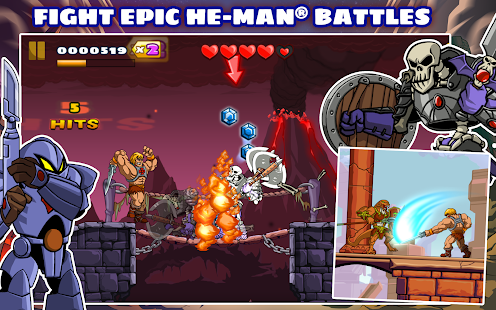
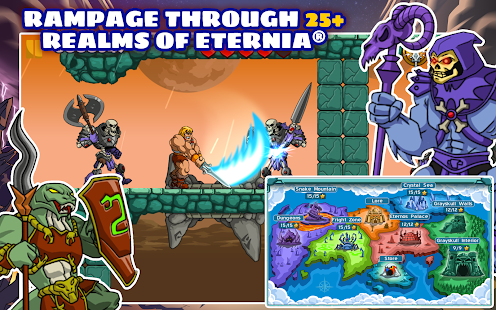
Defend the secrets of Castle Grayskull against the evil forces of Skeletor! Featuring epic battles, awesome attacks, and all your favorite heroic Masters of the Universe, He-Man: The Most Powerful Game in the Universe™ brings He-Man, the Most Powerful Man in the Universe from planet Eternia to Android. Finally, By the Power of Grayskull, I have the Power!

Game Features:
• He-Man characters and world that fans know and love remastered for the modern generation.
• 27 action-packed levels spread across 7 areas of Eternia.
• Fluid, intuitive controls for stunning swordplay.
• Huge boss fights with He-Man’s greatest foes including Beast Man and Skeletor.
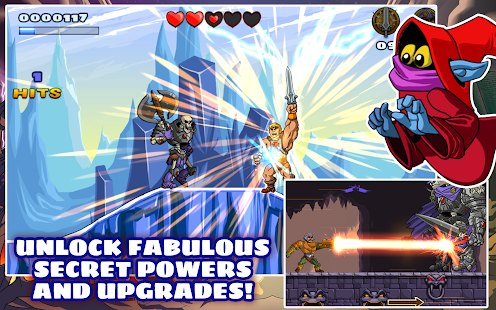
• Strengthen He-Man with fabulous secret powers and upgrades.
Required Android O/S: 2.3+
Screenshots:
He-Man: The Most Powerful Game - screenshot thumbnailHe-Man: The Most Powerful Game - screenshot thumbnailHe-Man: The Most Powerful Game - screenshot thumbnail


Download Free Android Game: 211Mb APK+OBB
v1.0.0
download free android game apk download free android game apk

Saturday, 3 August 2013

BattleFriends at Sea PREMIUM v1.0.3(android)

Posted by Unknown on August 03, 2013


Challenge your friends to a naval battle! 

Experience the ad-free, PREMIUM version of BattleFriends at Sea, the groundbreaking social game everyone is talking about! 

Now you can sink your friends’ ships with:
- no advertisements interrupting the fun
- 450 Gold (worth $7!) as a thank you gift for supporting us. 

Challenge your friends to a naval battle! Play with Facebook pals or defy a random opponent and set the sea on fire in this stunning reimagining of a beloved classic. 

If you already have the free version, upgrading is easy as pie - all your friends, money and experience will carry over to the PREMIUM edition. However, we strongly advise you to delete the free version before installing this one. 

SEAWORTHY FEATURES: 

★ Easy to pick-up and fun to play!
Everybody knows these rules so you won’t have any trouble finding allies and enemies alike. 

★ Challenge friends, control the pace!
Invite your friends by Facebook or e-mail. Take a short break to fire just one shot or play many turns at once when you have more time. 

★ Completely cross-platform!
Start playing on the phone at work, continue on tablet at home. 

★ Become a legend of the seas!
Gain experience and increase your rank to become an admiral and impress your friends. 

★ Next generation of naval warfare!
Experience the cutting edge of mobile gaming thanks to 3D graphics and cinematic close-ups. 

★ Push Notifications
Be alerted when it’s your turn to shoot. 


Download BattleFriends at Sea PREMIUM v1.0.3

clck to download

© ® Aswinvb™. Powered by Blogger.
  • RSS
  • Facebook
  • Twitter
  • Linkedin

Search Site